How to Log into Your ONYX Align Account

Table of Contents
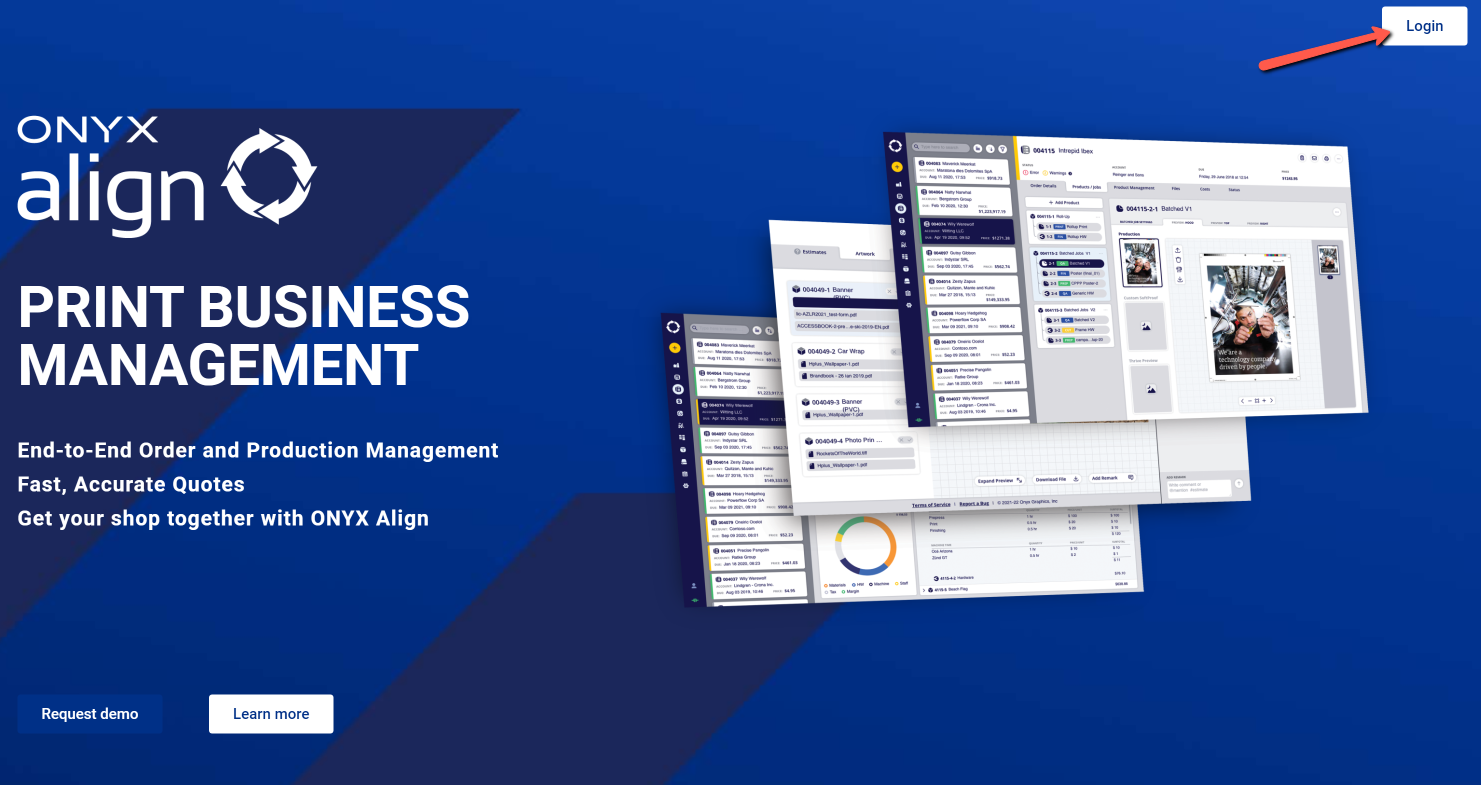
(1) Ensure you have activated your ONYX Align account
-If you need assistance with activating your account, see How to Activate Your ONYX Align Account.
(2) Visit https://www.onyxalign.com
(3) Click the "Login" button in the top right corner of the page
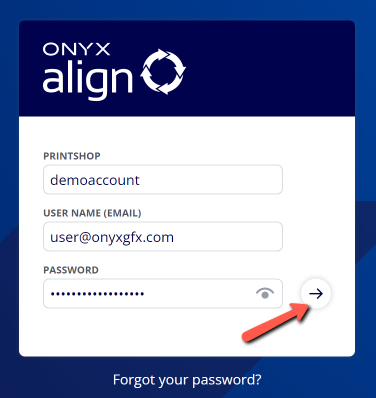
(4) Provide your account credentials
|
Field |
Description |
|---|---|
|
Printshop |
This is the general name for your account. You can find this in the original account activation email sent to you. |
|
Username |
This is the email address tied to your ONYX Align account. |
|
Password |
This was set at the time of your account activation. If you forgot your password, click on the "Forgot password?" link. |
(5) Click on the arrow button to log in
(6) Contact Onyx Support regarding any login issues
-If you are experiencing issues with logging in and are sure you are using the correct credentials, please reach out to Onyx Support for assistance.
Attachments:
 image-2023-3-22_10-57-59.png (image/png)
 image-2022-11-29_14-48-3.png (image/png)
 image-2022-11-29_14-48-3-1.png (image/png)
 image-2022-11-29_14-48-3-2.png (image/png)
 image-2022-11-29_14-48-3-3.png (image/png)
 image-2022-11-29_14-48-3-4.png (image/png)
 image-2022-11-29_14-48-3-5.png (image/png)
 image-2022-11-29_14-50-3.png (image/png)
 image-2022-11-29_14-51-12.png (image/png)
 image-2022-11-29_14-51-30.png (image/png)
 image-2022-11-29_14-51-52.png (image/png)
 image-2022-11-29_14-52-45.png (image/png)
 image-2022-11-29_15-1-12.png (image/png)
 image-2022-11-29_15-1-39.png (image/png)
 image-2022-11-29_15-6-36.png (image/png)
 image-2022-11-30_7-56-32.png (image/png)
 image-2022-11-30_7-57-8.png (image/png)
 image-2023-1-24_14-50-7.png (image/png)
 image-2023-3-7_10-54-1.png (image/png)
 image-2023-3-7_10-54-27.png (image/png)
 image-2023-3-7_10-55-36.png (image/png)
 image-2023-3-7_12-56-40.png (image/png)
 image-2023-5-1_9-14-7.png (image/png)
 image-2023-5-1_9-18-19.png (image/png)
