How to Edit Email Templates

ONYX Align allows you to generate emails that can be sent from your standard email service platform. There are a number of email templates that can be customized to help reduce time and create consistency when generating emails from ONYX Align.
Table of Contents
(1) Navigate to Configuration > Company management > Email templates
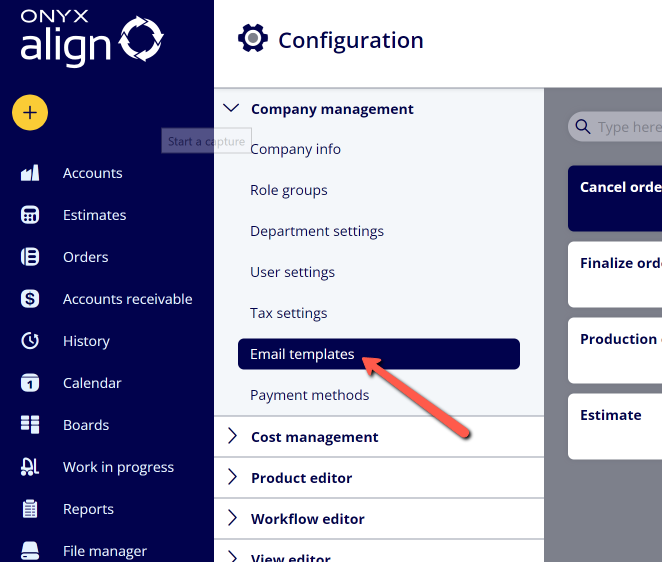
(2) Select the email template you would like to edit
|
Template |
Description |
|---|---|
|
Cancel order |
The template for the email that will be generated when cancelling an Order within ONYX Align. |
|
Estimate |
The template for the email that will be generated when you are wanting to send an estimate to your customer. |
|
Finalize order |
The template for the email that will be generated when you are wanting to let your customer know their Order has been finalized. |
|
Invoice |
The template for the email that will be generated when you are wanting to send an invoice to your customer. |
|
Production on hold |
The template for the email that will be generated when you need to let your customer know that production for their Order has been placed on hold. |
(3) Customize the settings for the email selected email template
|
Field |
Description |
|---|---|
|
Subject |
The subject of the email that will be generated by ONYX Align. |
|
Body |
The body of the email that will be generated by ONYX Align. |
|
Attachments |
Determine whether or not you wish to include download links for certain documents within the email that will be generated by ONYX Align. |
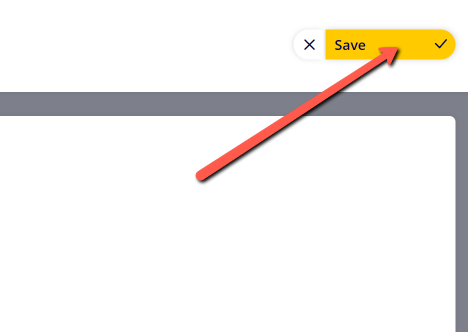
(4) Click "Save"
Attachments:
 image-2023-3-22_10-57-59.png (image/png)
 image-2022-11-29_14-48-3.png (image/png)
 image-2022-11-29_14-48-3-1.png (image/png)
 image-2022-11-29_14-48-3-2.png (image/png)
 image-2022-11-29_14-48-3-3.png (image/png)
 image-2022-11-29_14-48-3-4.png (image/png)
 image-2022-11-29_14-48-3-5.png (image/png)
 image-2022-11-29_14-50-3.png (image/png)
 image-2022-11-29_14-51-12.png (image/png)
 image-2022-11-29_14-51-30.png (image/png)
 image-2022-11-29_14-51-52.png (image/png)
 image-2022-11-29_14-52-45.png (image/png)
 image-2022-11-29_15-1-12.png (image/png)
 image-2022-11-29_15-1-39.png (image/png)
 image-2022-11-29_15-6-36.png (image/png)
 image-2022-11-30_7-56-32.png (image/png)
 image-2022-11-30_7-57-8.png (image/png)
 image-2023-1-24_14-50-7.png (image/png)
 image-2023-3-7_10-54-1.png (image/png)
 image-2023-3-7_10-54-27.png (image/png)
 image-2023-3-7_10-55-36.png (image/png)
 image-2023-3-7_12-56-40.png (image/png)
 image-2023-5-30_14-33-19.png (image/png)
 image-2023-5-30_14-38-21.png (image/png)
