How to Create a Hardware Item

Create Hardware items within ONYX Align that represent the hardware included with products you offer. Hardware items are meant to be items that are a part of a product but do not go into the actual manufacturing of the printed aspect of the product. For example, if you offer a Yard Sign as a product, the Hardware item would be the wire stake you include with the Yard Sign. Hardware items are tied to Non-Print Jobs, which are then added to Products.
Table of Contents
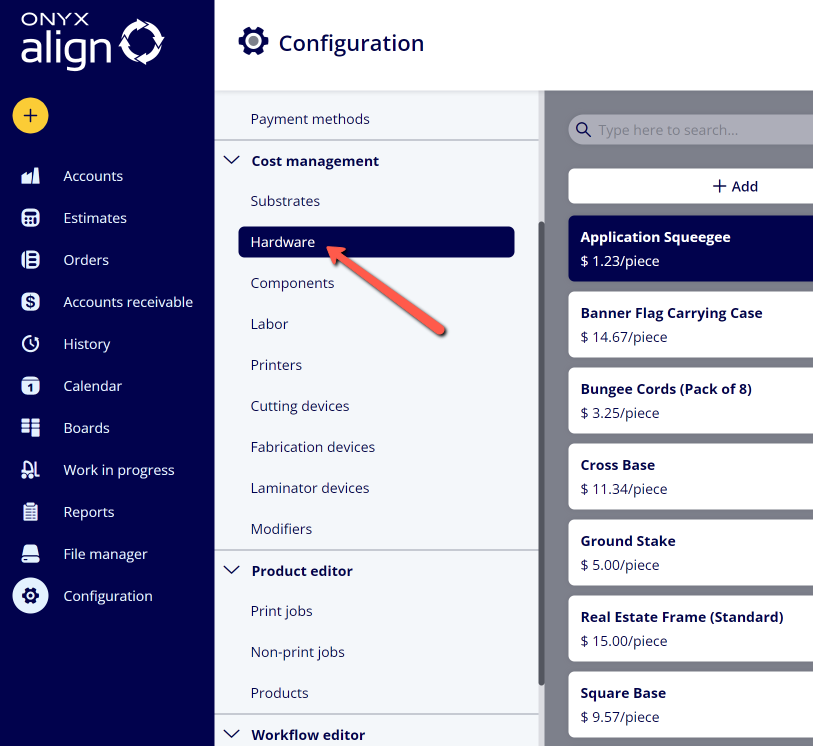
(1) Navigate to Configuration > Cost Management > Hardware
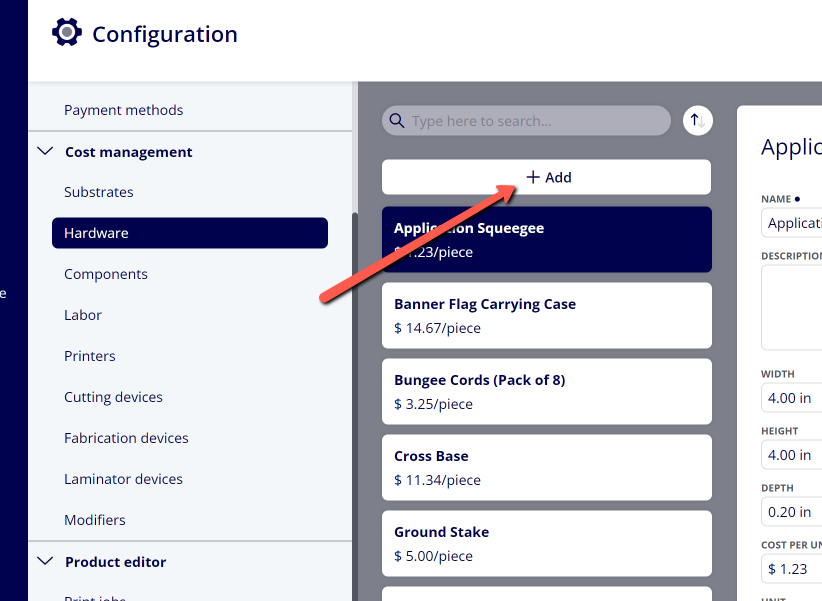
(2) Click "+Add"
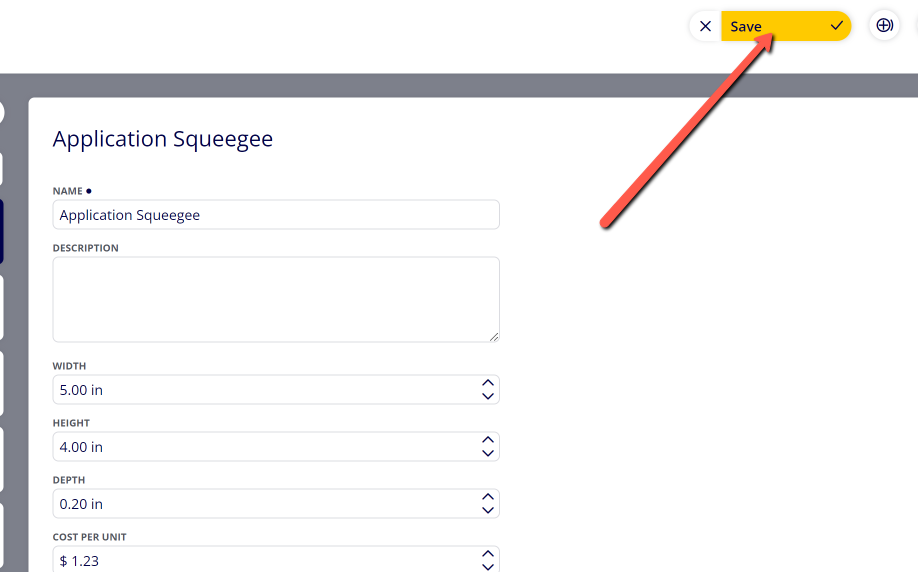
(3) Provide Information within the Hardware Settings
|
Field |
Information |
|---|---|
|
Name |
The name that will be displayed for this Hardware item throughout the system. |
|
Description |
A description of the Hardware item that will be visible within the Hardware settings. |
|
Width |
The width of the Hardware item. |
|
Height |
The height of the Hardware item. |
|
Depth |
The depth of the Hardware item. |
|
Cost per Unit |
The cost per each unit of the Hardware item. |
|
Unit |
The label to represent each unit of the Hardware item. |
|
Notes |
Notes pertaining to this specific Hardware item. They are visible within the Hardware settings. |
(4) Click "Save"
Attachments:
 image-2023-3-22_10-57-59.png (image/png)
 image-2022-11-29_14-48-3.png (image/png)
 image-2022-11-29_14-48-3-1.png (image/png)
 image-2022-11-29_14-48-3-2.png (image/png)
 image-2022-11-29_14-48-3-3.png (image/png)
 image-2022-11-29_14-48-3-4.png (image/png)
 image-2022-11-29_14-48-3-5.png (image/png)
 image-2022-11-29_14-50-3.png (image/png)
 image-2022-11-29_14-51-12.png (image/png)
 image-2022-11-29_14-51-30.png (image/png)
 image-2022-11-29_14-51-52.png (image/png)
 image-2022-11-29_14-52-45.png (image/png)
 image-2022-11-29_15-1-12.png (image/png)
 image-2022-11-29_15-1-39.png (image/png)
 image-2022-11-29_15-6-36.png (image/png)
 image-2022-11-30_7-56-32.png (image/png)
 image-2022-11-30_7-57-8.png (image/png)
 image-2023-1-24_14-50-7.png (image/png)
 image-2023-3-7_10-54-1.png (image/png)
 image-2023-3-7_10-54-27.png (image/png)
 image-2023-3-7_10-55-36.png (image/png)
 image-2023-3-7_12-56-40.png (image/png)
 image-2023-4-24_8-49-50.png (image/png)
 image-2023-4-24_8-50-43.png (image/png)
 image-2023-4-24_8-56-21.png (image/png)
