How to Create a Custom Payment Method
ONYX Align allows you to create custom payment methods that you can select when recording payments made on Orders. Custom payment methods can be assigned a custom name and icon, and can be activated or deactivated.
Table of Contents
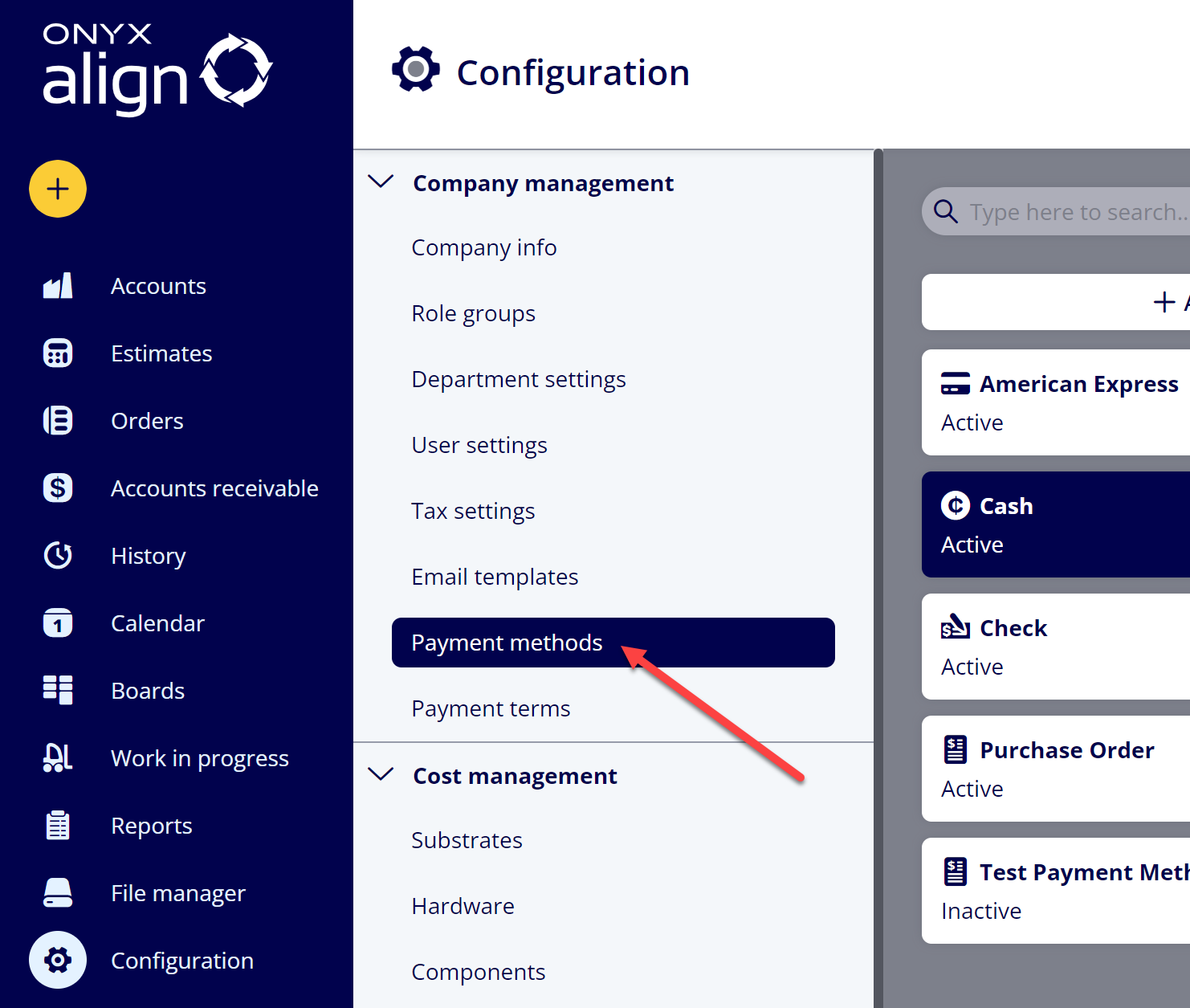
(1) Navigate to Configuration > Company management > Payment methods
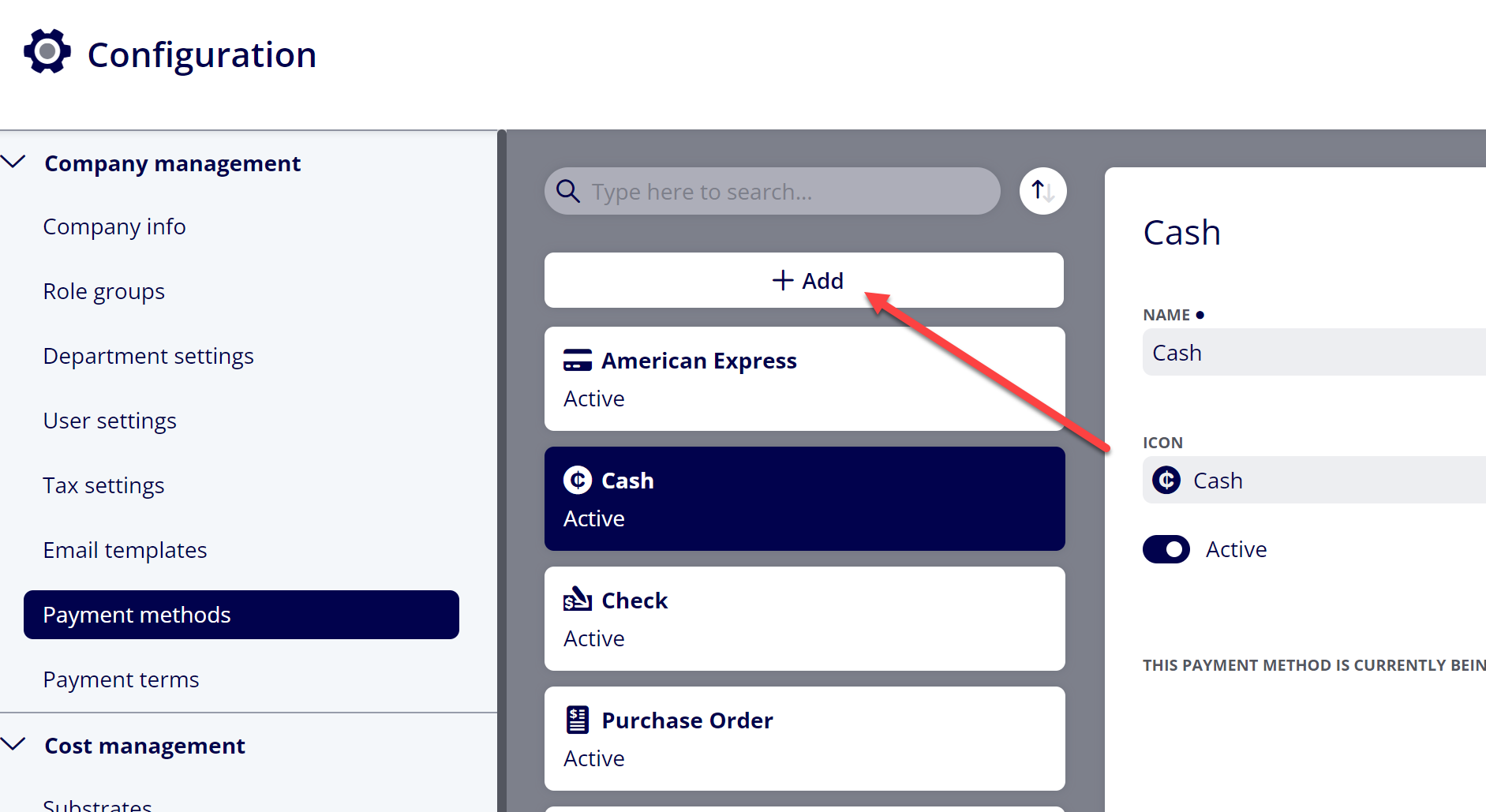
(2) Click “+ Add”
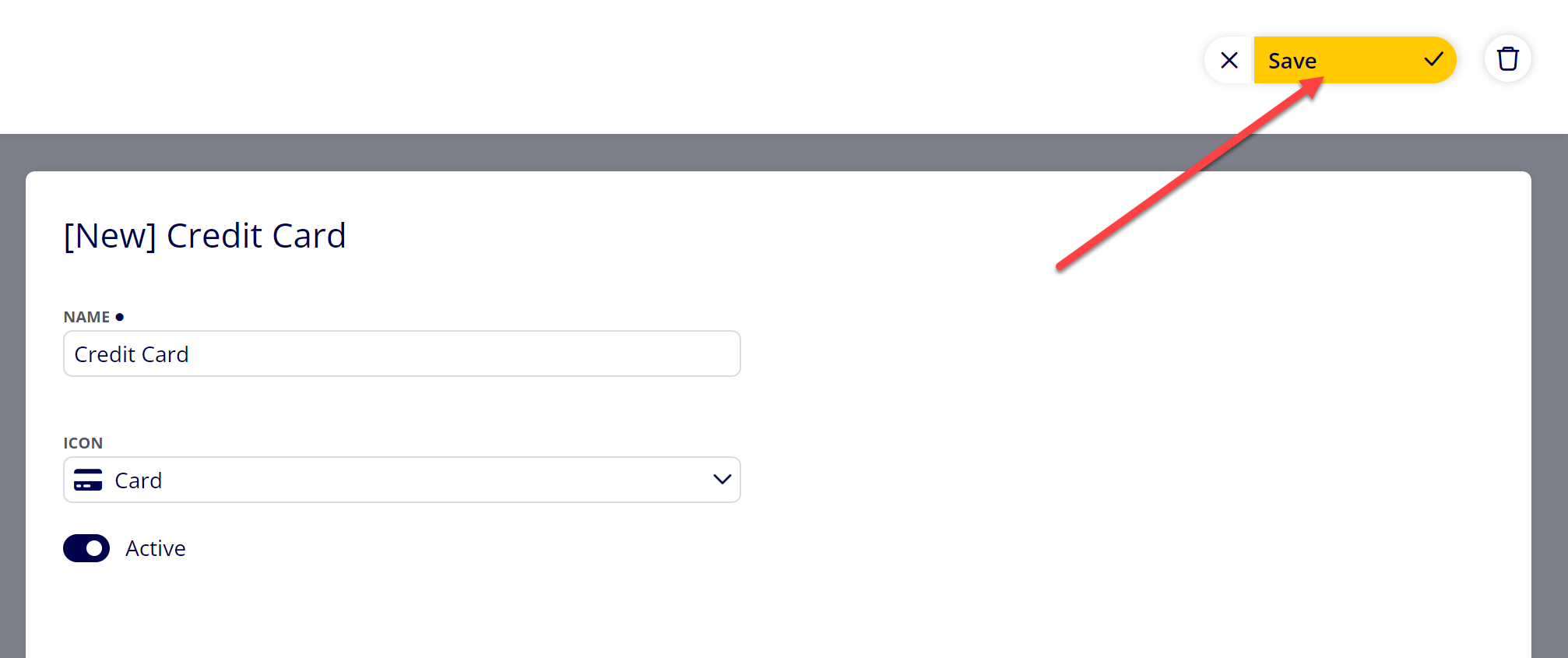
(3) Provide information for the new Payment Method
|
Item |
Description |
|---|---|
|
Name |
The name of the payment method. |
|
Icon |
The icon to be displayed for the payment method when displayed on Orders. |
|
Active |
Toggle that determines whether or not the payment method is visible when recording payments on Orders. |
(4) Click “Save”
Attachments:
 image-20240117-210948.png (image/png)
 2019 ONYX align PANTONE.png (image/png)
 image-20240118-190942.png (image/png)
 image-20240118-191028.png (image/png)
 image-20240118-194258.png (image/png)
