How to Assign a User to a Role Group

Assigning a User to a Role Group allows system administrators to control which sections, actions, and views the User has access to within ONYX Align.
Table of Contents
(1) Navigate to Configuration > Company management > User settings
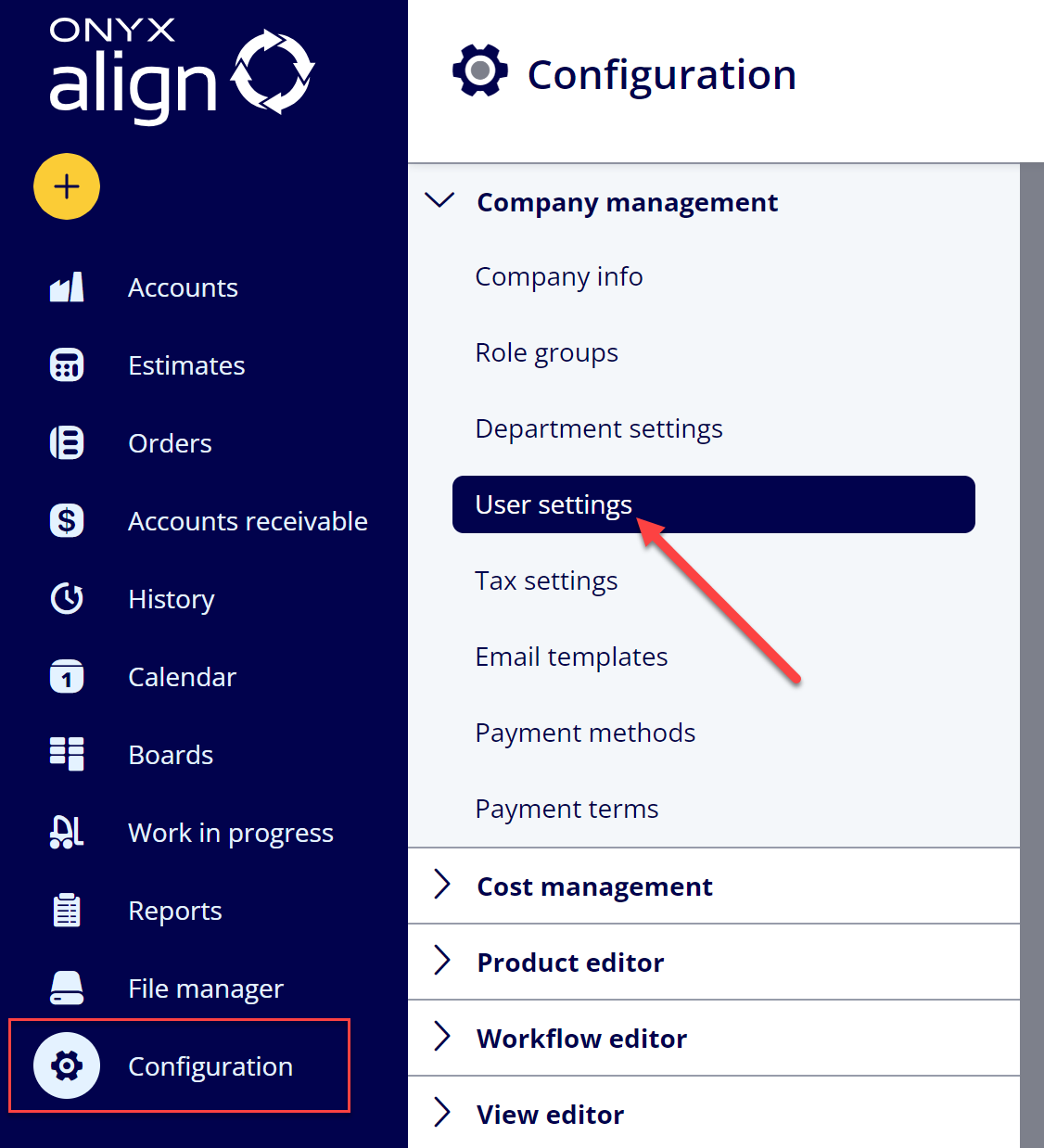
(2) Select the User you wish to assign to a Role Group
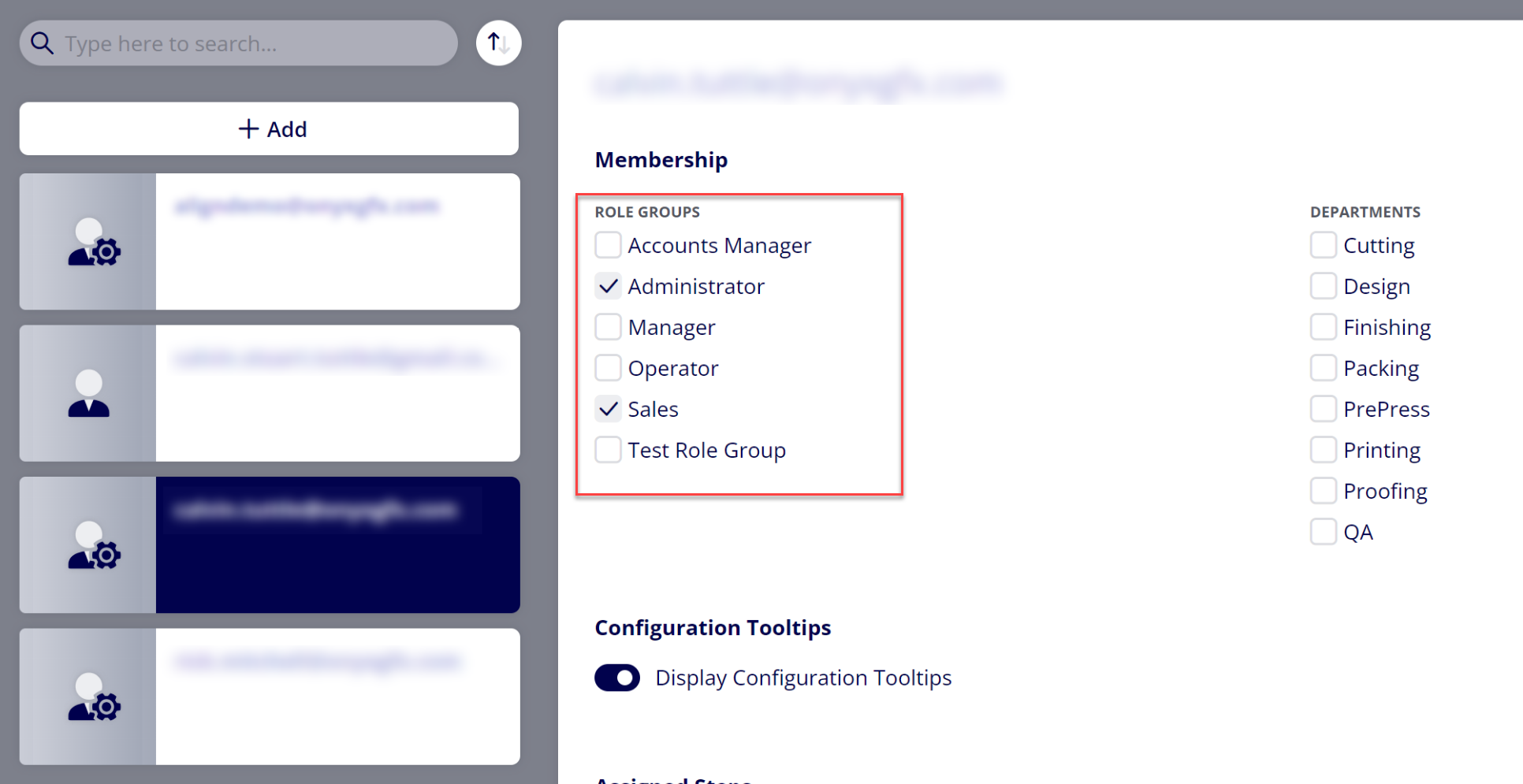
(3) Enable the desired Role Group(s) for the User
Note: If you need to create a new Role Group or edit an existing Role Group first, please refer to the How to Create a Role Group support guide.
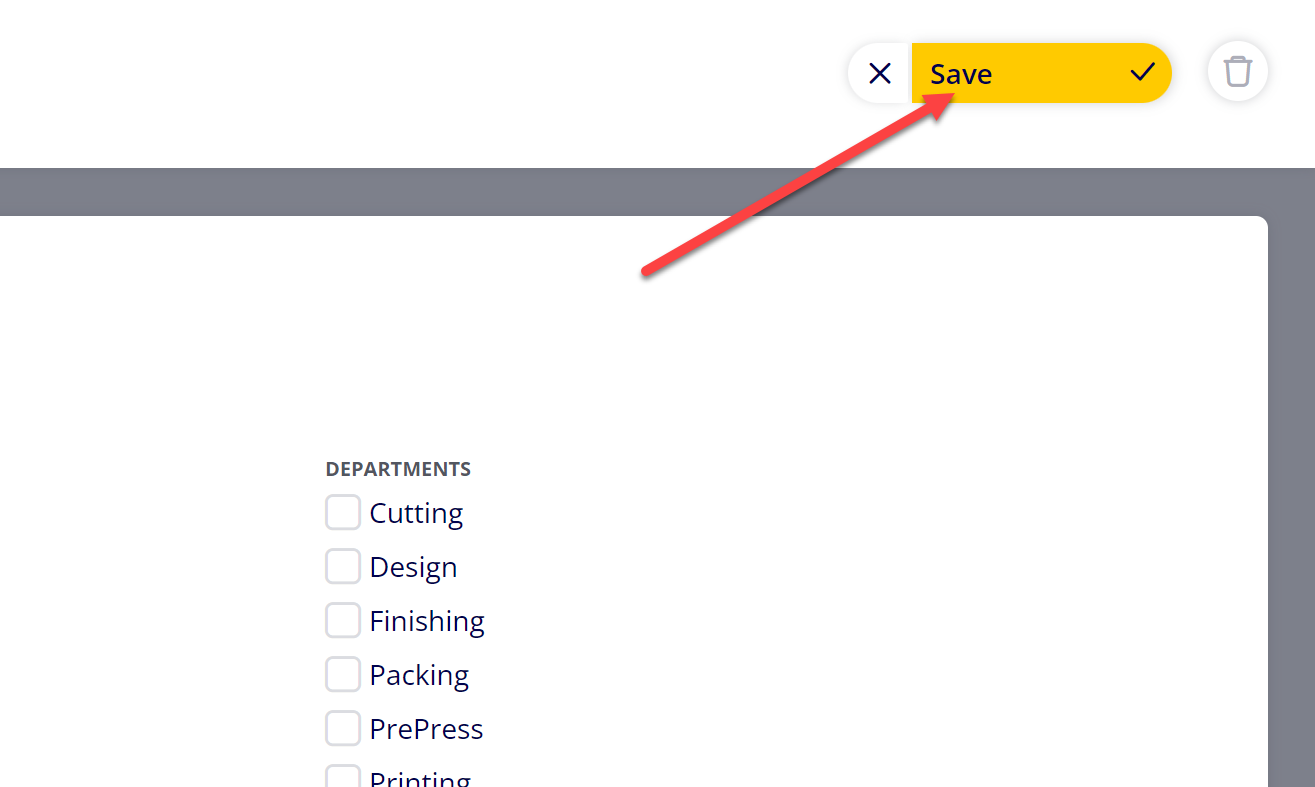
(4) Click “Save”
Attachments:
 image-20240627-184013.png (image/png)
 image-20240627-183948.png (image/png)
 image-20240627-183926.png (image/png)
 image-20240627-183857.png (image/png)
 image-20240627-183829.png (image/png)
 image-20240117-210948.png (image/png)
 2019 ONYX align PANTONE.png (image/png)
 image-20241007-191250.png (image/png)
 image-20241007-192140.png (image/png)
 image-20241007-192239.png (image/png)
