|
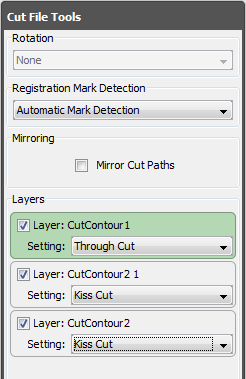
You can move a cut path to a layer by selecting the path and dragging it to a Layer Information Panel (Figure 1). You can right-click on a path to assign it to a layer.
Click on a path to see which layer the path is assigned to. The Layer Information Panel with that path assigned will highlight.
You can also click on a Layer Information Panel to see which cut paths are assigned to that layer.
Layers can be enabled and disabled by using the check box in the Layer Information Panel.
NOTE: A layer can only be enabled if it contains at least one valid cut path.
|