| Using the Production Manager | |
|---|---|
|
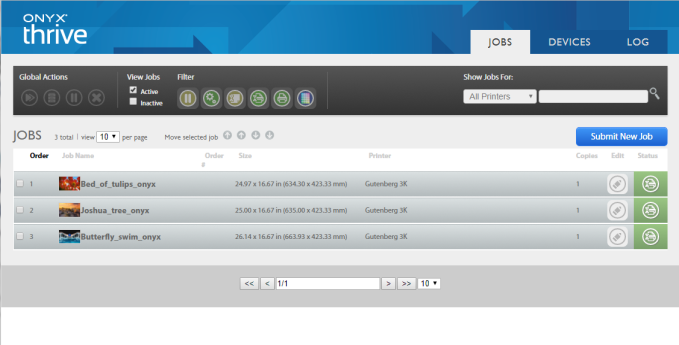
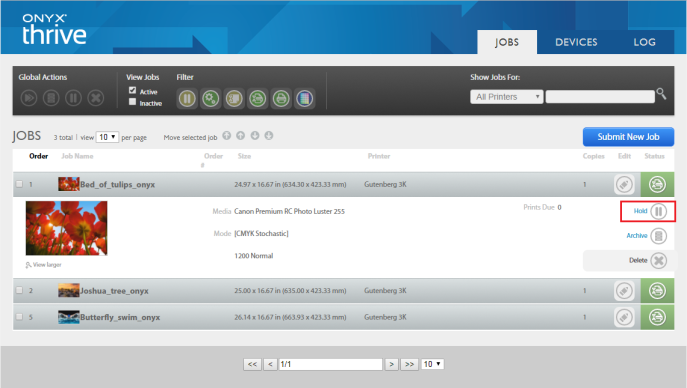
Production Manager (Figure 1) allows you to send jobs to RIP-Queue from a remote computer on your local network. This includes sending images from Macs and other Operating Systems. In Production Manager you can view the Active Jobs (equivalent to the Jobs Ready to Print area in the RIP-Queue window), the Inactive Jobs (equivalent to the Buffered Jobs Area in the RIP-Queue window), and even control many job options like number of copies, magnification, holds, and marks.
 Launching Production Manager Launching Production Manager
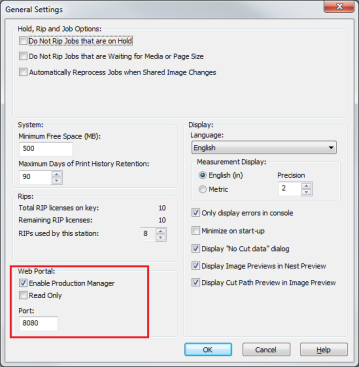
Changing the Web Portal Port
Production Manager uses port 80 by default; however, if a service is already using that port, RIP-Queue displays an error in the RIP-Queue Console. To resolve this issue, change the port number in the General Settings - System of RIP-Queue using these steps:
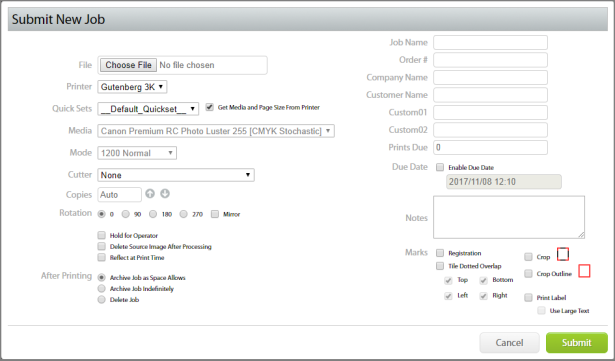
Submitting a Job Using the Web Portal
If the newly submitted job does not appear in the Active Jobs List, check the RIP-Queue Console for any errors.
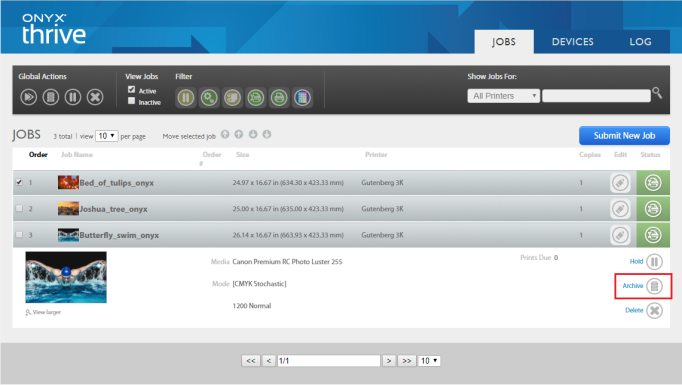
Editing an Existing Jobs
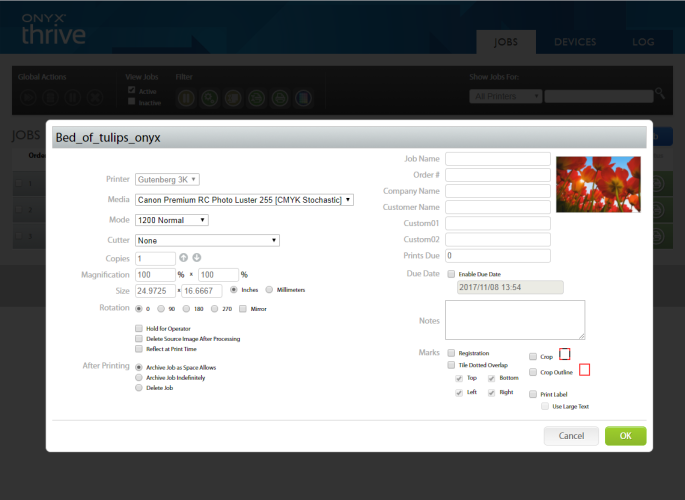
You can edit a job in Production Manager by clicking the Edit button (
Placing a check mark in the box next to the job name allows you to set Hold, Delete, and Reflect at Print Time. You also can set Marks and After Printing settings in this dialog. If necessary, you can type job information in here.
|
Figure 1
Figure 2
Figure 3
Figure 4
Figure 5
Figure 6
|
 ) and select Hold (
 ) .
) . ). This opens the edit Job dialog. You can modify many settings in this dialog including holds, number of copies, and magnification.