| Cutter Settings | |
|---|---|
|
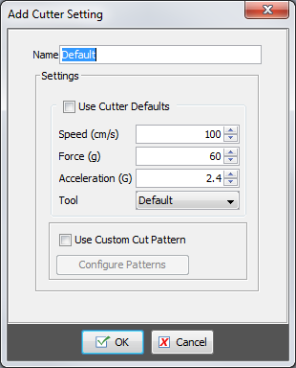
The Cutter Settings determine which settings, such as knife pressure and speed, you are going to use with your cutter. CUT-Server
Use the Cutter Settings drop-down box, located in the Tools area, to select which Cutter Setting you want to use.
NOTE: You can create other Cutter Settings by clicking the [Configure Cutter] button on the Cutter Panel to highlight a cutter you use.. |
Figure 1 |